En
 Fr
 De
 It
 Es
 Uk
AI agent, chatbot or automation: the short answer
Use plain automation when the steps are known in advance and the input is structured. Add a single LLM step when one of those steps has to read or write free text: an email, a voice note, a scanned document. Use a chatbot when people need to ask questions in their own words and get answers from your content or data. Use an AI agent only when the model itself has to choose which tools to call, and in what order, to finish a task.
Most first business projects need the second option, automation with one LLM step, and are sold as the fourth. This guide is for the founder or operations lead who has been told "you need an AI agent" and wants to check before paying for one.
What is the difference between an AI agent, a chatbot and automation?
The difference is who decides what happens next.
| Automation | Automation with an LLM step | Chatbot | AI agent | |
|---|---|---|---|---|
| Who decides the steps | The developer, in advance | The developer, in advance | The person in the chat | The model, at run time |
| What the model does | Nothing | Reads or writes one piece of free text | Answers questions from your content or data | Plans, calls tools, checks results, repeats |
| Changes data on its own | Yes, by fixed rules | Yes, by fixed rules | Rarely, usually a person acts | Yes, within its permissions |
| Typical example | New order goes to the ERP and Slack | Voice note becomes a structured task | Support bot answers from the help center | Agent investigates a failed payment across three systems and drafts the refund |
| Model calls per task | 0 | 1 | 1 to 3 per question | 5 to 50 |
| Main risk | Breaks when input changes | A wrong extraction | A wrong or invented answer | A wrong action in a real system |
An "AI agent" that always runs the same four steps in the same order is automation with LLM steps, whatever the sales deck calls it. That is not a criticism: it is usually the cheaper and more reliable design.
The 3-question test
Answer these about one concrete task, not about "AI in the company".
1. Can you write the steps down before the task starts? If a new employee could follow a checklist, the task is automation. If one of the steps is "read this email and pick out the order number", that step is an LLM step inside the automation. Only if the next step genuinely depends on what the previous one found, and differs from case to case, do you have an agent-shaped task.
2. Is the input a question from a person, or an event in a system? If people type questions in their own words and want an answer, you need a chatbot, with retrieval over your documents if the answers live there. If the trigger is an event, such as a new ticket, an upload or a form, you need automation or an agent, and a chat window adds nothing.
3. What does a wrong action cost, compared with a person's check? If a mistake is cheap and reversible, such as a wrong tag or a draft nobody sent, the system can act alone. If it moves money, deletes data or writes to a customer, a person approves first. An agent that needs approval on every action is a slow chatbot with extra steps; in that case automation with a review screen is simpler and cheaper.
| Your answers | What to build |
|---|---|
| Steps known, structured input | Automation |
| Steps known, one free-text step | Automation with an LLM step |
| People ask questions in their own words | Chatbot, with retrieval if answers are in documents |
| Steps vary per case, several systems, actions mostly reversible or approved | AI agent |
What our own project board taught us
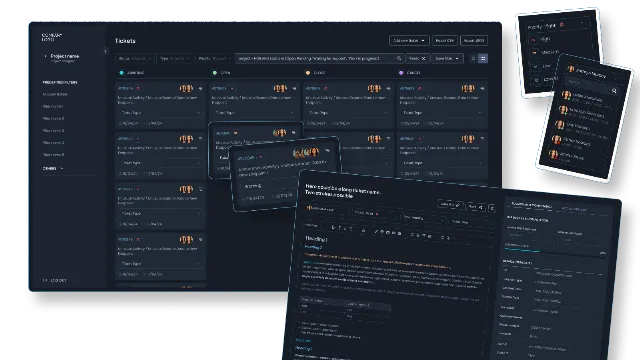
Our internal project board, the system our team and clients use every day, has five AI features. Four of them are LLM steps inside fixed workflows, and one is agent territory:
- Voice note to task. A recorded voice note is transcribed and rewritten as a structured task description. One transcription call, one model call, fixed order.
- Task draft from a client request. The client's words go in, a first task description comes out, and a person edits it. One model call.
- Daily report and morning briefing. The board counts the numbers from the database itself, and the model only turns those numbers into a short readable text. The model never computes a figure, so it cannot invent one.
- Spoken briefing. The same text is turned into audio. One call, cached.
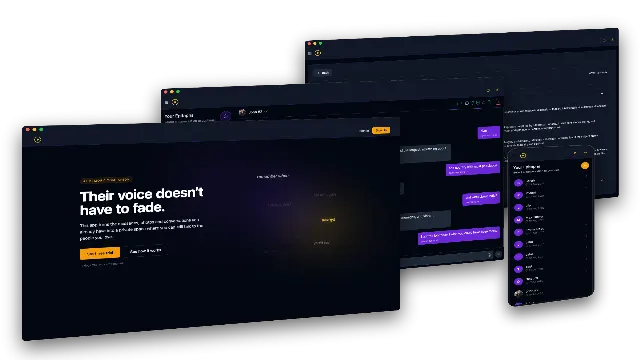
- Coding agents on the board. Engineers and AI coding agents pick up tasks through an MCP server on top of the board, read the specification, change code, run tests and post results for review. Here the model decides which files to read and which commands to run, so it is an agent, and every change still goes through normal code review.
Each of the four LLM steps is a single method in one small service that calls the OpenAI API. The agent setup is a different scale of work: a tool server, permissions per tool and review gates. Both were the right call for their task, and neither would have been right for the other's. Our guide on what an MCP server is explains the tool layer behind the agent part.
When is a chatbot the right answer?
A chatbot fits when the hard part is understanding a question and finding the answer, not acting on it:
- Support and pre-sales questions answered from your help center, product docs or policies.
- Internal knowledge, such as "what is our refund policy for annual plans" or "which template do we use for a German client".
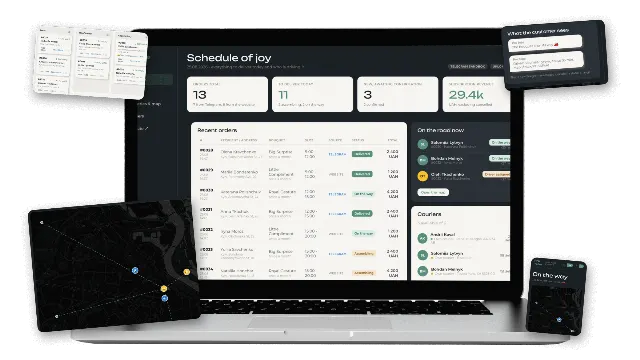
- Guided ordering in a chat channel, where the bot collects details step by step. In a flower subscription service we built, a Telegram bot walks the customer through an eight-step order, and no language model is needed at all, because the steps are fixed.
That last example is worth remembering: a chat interface does not mean a language model, and a language model does not mean an agent. Our AI chatbot cost guide covers when a chatbot needs an LLM and what each level costs.
When is an AI agent worth it?
An agent earns its extra cost when all of these hold:
- The task arrives often enough to matter, at least dozens of times a week.
- The path really varies: different cases need different systems in a different order.
- The systems have APIs the agent can call, with permissions you can limit per tool.
- You have 50 to 100 real past cases to test it against before it touches production.
- Risky actions can go through a person's approval without killing the time saved.
Typical good fits are support triage that has to look up orders, payments and shipping before drafting a reply, research tasks that gather data from several sources, and engineering tasks on a well-tested codebase. Our guide how to build an AI agent walks through the 30-day plan, and AI agents for business lists 15 examples with the autonomy each should get on day one.
What does each option cost?
| Build cost with us | Running cost | |
|---|---|---|
| Automation (no LLM) | From $10,000 for a core workflow in code; simple flows fit Zapier or n8n | Hosting, often $50 to $300 a month |
| Automation with an LLM step | From $10,000, often as one step added to an existing system | One model call per item |
| Chatbot | From $10,000; $10,000 to $20,000 with live data lookups and handover | One to three model calls per question, plus retrieval |
| AI agent | From $10,000 for one workflow; $10,000 to $30,000 for a multi-tool agent | 5 to 50 model calls per task, plus monitoring |
A typical US or UK agency quotes roughly 2.5 to 4 times more for the same scope. If a workflow is simple and low volume, the honest answer may be a no-code tool and no project at all; our n8n vs Zapier vs custom code guide explains where that line sits. For model costs per call, use our LLM API cost calculator.
Common mistakes
- Buying an agent for a checklist task. If the steps never change, the agent adds cost, latency and a new way to fail.
- Putting a chat window on an event-driven process. Nobody wants to chat with an invoice. Process it when it arrives and show exceptions to a person.
- Letting the model compute numbers. Count in code, let the model only describe the result.
- No test set. Without 50 to 100 real past cases you cannot tell whether a change made the system better or worse.
- Platform lock-in for the first version. A chatbot built in your own code can grow into an agent later; one built inside a closed platform usually cannot.
How we decide with clients
We start every AI project with the same three questions on one concrete task, often in the first call. When the answer is automation with one LLM step, we say so, even though the project is then smaller than the client expected. When an agent is the right fit, we build it on your systems with per-tool permissions, an evaluation set and approval for risky actions. See our AI agent development, AI chatbot development and AI automation services, or contact us and describe the task you want to hand over.