 En
En
 Fr
Fr
 De
De
 It
It
 Es
Es
 Uk
Uk
How do you build an AI agent for your business?
To build an AI agent for your business, pick one workflow with clear inputs and a measurable outcome, list the tools the agent may call and the permission level for each, collect 50 to 100 real past cases as an evaluation set, build the agent loop on a mainstream model API with tool calling, run it in shadow mode next to your team, and then let it act with human approval for risky steps. A focused agent can reach a supervised production release in about 30 days.
Most agent tutorials stop at a demo that answers questions in a notebook. This guide covers the part after the demo: the permissions, tests, launch and monitoring that decide whether staff trust the agent in month two. If you have not yet picked a use case, start with our list of 15 AI agent examples by department.
What does every business AI agent need?
Every business agent, whatever the framework, has the same seven parts. Skipping any of them is what turns a promising demo into a tool nobody uses.
| Part | What it is | What goes wrong without it |
|---|---|---|
| Task definition | One workflow, its inputs, the expected outcome and when to stop | The agent drifts into tasks nobody tested |
| Model | A mainstream model with reliable tool calling | Malformed tool calls, unstable behaviour |
| Instructions | A system prompt with rules, tone, limits and examples | Inconsistent decisions between similar cases |
| Tools | Functions the agent can call: read the CRM, create a draft, send a message | The agent guesses instead of looking things up |
| State and memory | What the agent knows about this task so far, and what it may recall from earlier ones | Repeated questions, lost context, privacy leaks |
| Guardrails and approvals | Permission levels per tool, limits, human confirmation for risky actions | One wrong action that costs more than the project |
| Evaluation and logs | A test set of real cases, scoring, and a record of every step | Nobody can tell whether a change helped or hurt |
The model is the part people discuss most and the one that matters least once you use a current model from a major provider. Tools, permissions and evaluation take most of the effort.
How do you pick the first task?
Pick a task that happens often, follows rules your team can explain, uses systems with APIs and where a mistake is cheap to catch. A short scoring sheet helps:
- Volume: at least dozens of cases a week, so the time saved is visible.
- Clear outcome: you can say for a past case whether the result was right.
- Available data: the systems involved have APIs or exports.
- Low cost of error: a wrong draft is caught by a person, not by a customer.
- An owner: someone on your team who will review outputs during the pilot.
Ticket triage, document intake into a CRM or ERP, order status questions and lead research usually score well. Anything that moves money on its own scores badly as a first agent.
The 30-day plan
The plan below assumes one workflow, three to six tools and a team of two or three engineers. It overlaps with a proof of concept in the first two weeks; our AI proof of concept guide covers that phase in more depth, so here we focus on what it takes to reach production.
Days 1 to 5: define the task and collect real cases
- Write a one-page task definition: trigger, inputs, the decision the agent makes, allowed actions, stop conditions and what counts as success.
- Collect 50 to 100 real past cases with the correct outcome. Include messy ones: incomplete emails, duplicates, customers who changed their mind.
- Agree on target numbers with the business owner, for example 85 percent of cases routed correctly and no wrong action in the test set.
- List every system the agent must read or write, and check API access and rate limits.
Days 6 to 12: design tools and permissions, build the loop
- Define each tool as a small function with a clear name, typed inputs and a short description the model reads. Five well-described tools beat twenty vague ones.
- Assign a permission level to each tool: read, draft, write with approval or write on its own within limits.
- Build the agent loop: the model receives the task and tools, calls tools, reads results and decides the next step, with a cap on steps per task.
- Expose tools through an MCP server if several agents or AI clients will use them. Our guide on what an MCP server is explains when that is worth it.
Days 13 to 20: evaluate and harden
- Run the agent against the full evaluation set after every change and record the score, cost per case and time per case.
- Read the failures one by one. Most are fixed by a better tool description, a missing tool or a clearer rule, not by a bigger model.
- Add guardrails: input validation, limits on amounts and recipients, refusal rules and a fallback that hands the case to a person.
- Build the review screen where staff see the agent's proposal, its reasoning summary and the data it used.
Days 21 to 26: shadow mode on live traffic
- Connect the agent to live events, but let it only propose. Staff keep working as before.
- Compare every proposal with what the person actually did. Add disagreements to the evaluation set.
- Measure the share of cases the agent would have handled correctly without help.
Days 27 to 30: supervised launch
- Switch the agent to acting with approval: it prepares the action and a person confirms with one click.
- Remove the approval step only for categories where shadow mode showed consistent accuracy, and keep it permanently for payments, deletions and messages outside templates.
- Set up monitoring and a weekly review of the logs with the business owner.
Which permissions should an agent get?
Permissions are the main safety lever. We use four levels and assign one to every tool, not to the agent as a whole.
| Level | What the agent may do | Typical tools |
|---|---|---|
| Read | Look up data, never change it | Search CRM, read order, fetch document |
| Draft | Prepare something a person sends or saves | Draft reply, draft record, proposed routing |
| Write with approval | Act after one-click human confirmation | Update a record, create an invoice draft, issue a credit |
| Write within limits | Act alone inside hard limits | Change a delivery date, assign a ticket, send a templated message |
Credentials matter as much as levels. Give the agent its own service account with only the rights its tools need, never an employee's login, and log every call under that account.
Framework or plain API?
For a first business agent, a model provider's tool calling plus a thin layer of your own code is often enough, and it is the easiest to debug. Frameworks such as the OpenAI Agents SDK, the Claude Agent SDK, LangGraph or Symfony AI help when you need long-running state, several cooperating agents or standard tracing. Choose by your existing stack and team rather than by popularity, and keep tool definitions and prompts outside the framework so you can change either later. For the model itself, any current model from OpenAI or Anthropic with reliable tool calling is a sound start; test two on your evaluation set and pick on accuracy and cost per case.
What should you monitor after launch?
An agent in production needs a small set of numbers reviewed every week:
- Resolution share: cases handled without a person changing the outcome.
- Approval overrides: how often staff reject or edit the agent's proposal, by category.
- Errors reaching customers or records: the number that should stay at or near zero.
- Cost per case: model usage plus any paid tools, against the time saved.
- Latency: time from trigger to proposal, if anyone waits for it.
- Drift: evaluation score re-run monthly and after every model or prompt change.
Our guide on AI agent development cost shows how to estimate model usage per case before you build, so the cost-per-case line has a target from day one.
Why do AI agent projects fail?
The failures we see most often are predictable:
- Starting with the widest possible agent. "An assistant for the whole company" has no evaluation set and no owner.
- No real data in testing. Agents tested on invented examples break on the first real email.
- Too many tools. The model picks the wrong one when twenty look similar.
- Full autonomy on day one. One visible mistake and staff stop trusting the agent.
- No owner on the business side. Nobody reviews outputs during the pilot, so problems surface late.
- Changing prompts without re-running the tests. A fix for one case quietly breaks five others.
How much does building an AI agent cost?
With Lytvynov Production a custom AI agent for one workflow starts from $10,000, and our AI Sprint is a fixed $10,000 for 4 weeks of work by a senior team. Agents with many integrations, retrieval over large document sets or strict compliance requirements cost more, and complex AI products with fine-tuning, RAG memory or custom models typically cost $60,000 to $150,000. A typical US or UK agency quotes roughly 2.5 to 4 times more. Running costs are model usage and hosting, and depend mostly on volume.
How we build AI agents
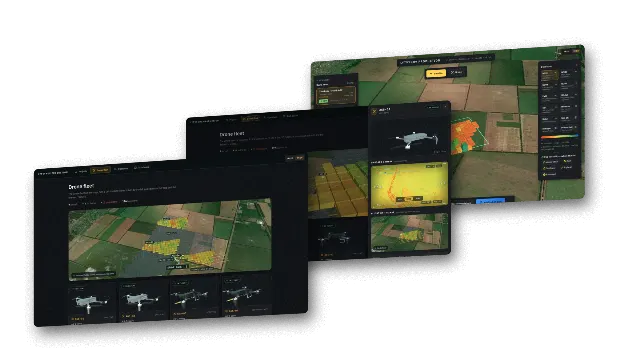
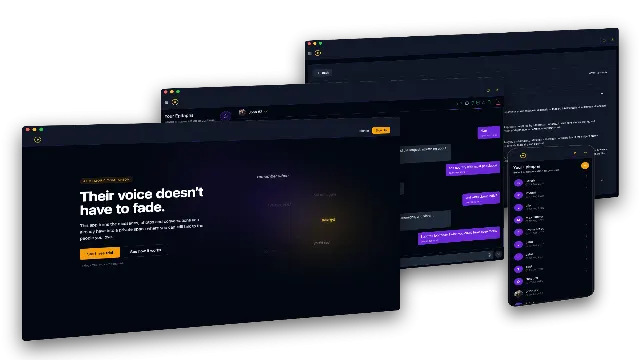
We are a software development company founded in 2020 that builds internal systems, SaaS products and AI features for companies in the US, UK and EU. Our own R&D includes an autonomous drone swarm whose task board assigns work to aircraft as soon as one frees up, without a dispatcher, and we have built an AI companion product with chat history ingestion and RAG memory for a client.
Every agent project starts with one workflow, a written task definition and an evaluation set of your real cases. We give a fixed quote after a short scoping call, and you own the code, the prompts and the tests. If you want to validate the idea before committing to a production build, our AI proof of concept service covers the task definition, the evaluation set and a first working prototype as a separate, fixed-scope step.