 En
En
 Fr
Fr
 De
De
 It
It
 Es
Es
 Uk
Uk
What our AI chatbot development services deliver
AI chatbot development services build assistants that hold a conversation and answer from a defined body of knowledge: your help center, product documentation, policies, catalog or internal wiki. The chatbot we build is not a general-purpose ChatGPT window. It is scoped to your content, answers in your tone, cites where each answer came from, knows when to stop and hands the conversation to a person when it should.
We build three main kinds of custom chatbot:
- Customer support chatbots on your website, app or messaging channels, answering product and policy questions and looking up order or account status.
- Internal knowledge assistants for employees, answering from HR policies, technical docs, contracts and past project material, with document-level permissions.
- Guided conversational flows such as ordering, booking or onboarding, where the chatbot walks a user through steps and writes the result into your system.
Why grounding in your data matters
A chatbot that answers from general model knowledge will sooner or later invent a refund policy, a feature or a price. Grounding solves this: before answering, the chatbot retrieves the relevant passages from your content and answers only from them. This technique is called retrieval-augmented generation, or RAG.
Grounding changes what the chatbot is. It stops being a clever text generator and becomes an interface to your knowledge. When the content is updated, answers change the same day, without retraining anything. When the content has no answer, the chatbot says so and offers a human, which is exactly what a good support hire would do. We cover retrieval in depth on our RAG development page and in the RAG implementation guide.
How a RAG chatbot is built
A production RAG chatbot is a pipeline with five stages. Quality problems almost always come from one specific stage, which is why we build and test them separately.
- Ingestion. Content is pulled from its sources (help desk, CMS, PDFs, Notion, Confluence, databases) on a schedule, cleaned and tagged with metadata such as product, language, audience and access level.
- Chunking and indexing. Documents are split into passages that make sense on their own and stored with embeddings in a vector database. Our default is pgvector inside PostgreSQL, which keeps everything in one database you already run; Qdrant or a managed service fits larger or more demanding collections.
- Retrieval. For each question the system combines semantic search with keyword search, filters by the user's permissions and language, and re-ranks results so the best passages come first.
- Answer generation. OpenAI or Claude writes the answer from the retrieved passages only, with citations, in your brand voice and within length limits.
- Conversation layer. Memory of the current conversation, clarifying questions when a request is ambiguous, tool calls for live data such as order status, and the handover logic.
Channels
The same back end serves several channels. We connect the chatbot to a website widget, your mobile app, Telegram, WhatsApp Business, Slack or Microsoft Teams. We have built conversational flows in Telegram before: for a flower subscription studio we built a Telegram bot that takes a full order in an eight-step chat, remembers where each conversation stopped so a customer can come back later, and sends status updates at each delivery step.
Handover to humans, done properly
A chatbot that cannot hand over traps customers. Human handover is designed in from the start, with clear triggers and a clean transfer.
| Trigger | Example | What happens |
|---|---|---|
| User asks for a person | "Can I talk to someone?" | Immediate transfer, no pushback |
| Low retrieval confidence | No passage matches the question well | Chatbot says it is not sure and offers a person |
| Sensitive topic | Complaint, billing dispute, legal or health question | Transfer with a flagged priority |
| Stuck conversation | Several turns without resolution | Offer of a person with summary |
| Action above a limit | Refund or change beyond policy | Draft prepared, human approves |
On transfer, the agent in your help desk or chat tool receives the conversation and a short AI summary. Outside working hours, the chatbot collects contact details and creates a ticket instead of pretending to solve the problem.
Testing accuracy before launch
We do not launch a chatbot on a feeling that it seems fine. Before launch we build a test set of real questions from your support history, with expected answers and sources, including questions the chatbot should refuse or hand over.
Each run reports answer correctness, citation correctness, refusal behavior on out-of-scope questions, latency and cost per conversation. The test set runs on every change to prompts, retrieval settings or model version. After launch, low-rated answers and handovers are reviewed weekly; each one either becomes a content fix or a new test case.
Build or buy an AI chatbot?
Buying is often the right answer, and we will tell you when it is. Help-desk AI products are quick to launch when your knowledge already lives there and your questions are standard.
| Situation | Better fit |
|---|---|
| Standard support, content already in your help desk, moderate volume | Off-the-shelf help-desk AI |
| Answers need live data from your own systems | Custom chatbot |
| Several knowledge sources with different permissions | Custom chatbot |
| Data must stay in your infrastructure, or self-hosted model required | Custom chatbot |
| High volume where per-resolution pricing adds up | Custom chatbot, or hybrid |
| Chatbot is part of your product, not only support | Custom chatbot |
Our guide on AI agents for customer service compares the options in more detail.
Timeline and what affects cost
A custom AI chatbot typically goes live in 5 to 10 weeks: 1 to 2 weeks of scoping (content audit, test set, channel and handover design, fixed quote), 3 to 6 weeks of build, and 1 to 2 weeks of pilot with a share of real traffic.
The main drivers are the number and messiness of content sources, access control requirements, live data integrations, languages, channels and the accuracy bar. A documentation chatbot on one channel with handover by ticket is a much smaller build than an enterprise chatbot with permissions across several sources and channels. Monthly running cost (model tokens, vector database, hosting) scales with conversation volume and is estimated per conversation during scoping.
An AI chatbot starts from $10,000 with us, with a fixed quote after a short scoping call; our AI chatbot development cost guide covers larger scopes.
Why us for custom chatbot development
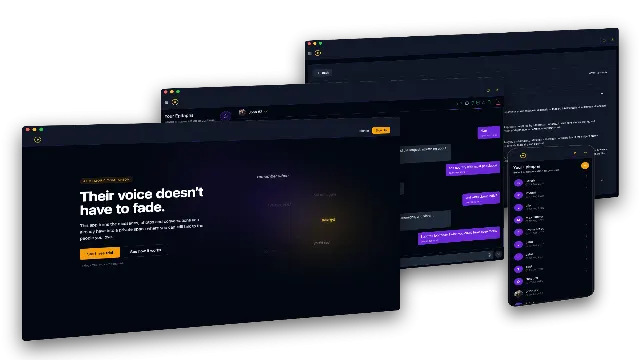
- Conversational AI with memory and a specific voice. For a US grief-tech startup we built the AI Grief Companion, a private chat that answers in the voice of one specific person, using RAG memory, a fact graph and LoRA fine-tuning. The same platform encrypts every message at ingest, supports one-click deletion of all data, stores prompts with a version history and steers users toward professional help when a conversation needs it.
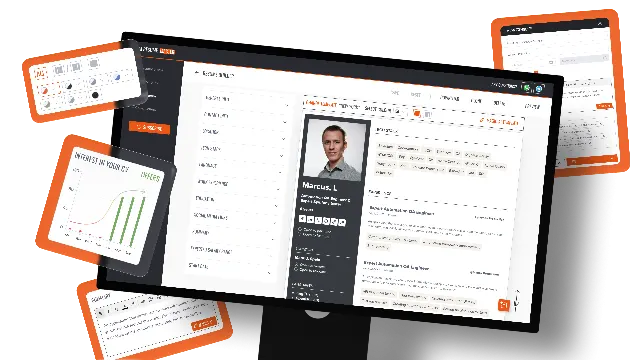
- LLM features used at scale. Our own product AI Resume Master generates and improves resume content with large language models and reached 50,000 monthly active users.
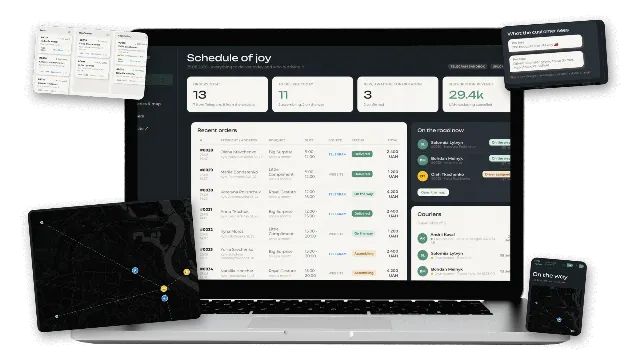
- Chat flows that write into real systems. The Telegram ordering bot and CRM for a flower studio show how a conversation becomes an order, a courier assignment and a tracking link.
Rated 5.0 on Upwork with 100% Job Success.
Next step
Send us a sample of the questions your team answers most often and where the answers live today. In a 30-minute call we will tell you whether an off-the-shelf bot or a custom chatbot fits, what accuracy is realistic with your content and what a fixed quote after scoping would include. Contact us to book it.