
What does DevOps mean for the products we build?
DevOps with us means the delivery side of a product we build or take over: how code becomes a running service, how it is tested on the way, how it is watched in production and how it is restored when something breaks. The same team that writes the code sets this up and lives with it, so deployments, alarms and backups are designed by people who will be woken up by them.
We also do this for existing products built by other teams, when your developers keep working on the code and you need the delivery side put in order: Docker environments, CI/CD, staging and production, monitoring, backups and, if the load needs it, Kubernetes. We usually start with a short audit of the current setup, similar in shape to our technical due diligence review, and after the setup we can stay on for ongoing support.
A typical engagement covers:
- Dockerized environments: the application, workers and supporting services in containers, so development, staging and production run the same images.
- CI/CD on Bitbucket Pipelines or GitHub Actions: build, tests, static analysis and deployment on every change.
- Separate staging and production, with production deploys behind an approval step.
- Monitoring and alerts: logs, metrics, error tracking and uptime checks routed to people who act on them.
- Backups and restores: automated database and file backups, plus restore tests on a schedule.
- Access and secrets: named accounts, narrow permissions and secrets kept out of the repository.
- Kubernetes when the load justifies it, and an honest answer when it does not.
How do we use Docker on our projects?
Docker is on every project we build. Each product gets a Docker setup in its repository from the first week: the web application, background workers, the database and services such as Redis run in containers, started with one command on any developer machine. New engineers are productive on day one, and "works on my machine" problems stop being a category of bug.
Our Docker defaults:
- One image per service, built by CI and promoted from staging to production without rebuilding, so production runs exactly what was tested.
- Configuration from environment variables, with no secrets baked into images.
- Health checks on every service, so the platform knows when a container is ready and when it should be restarted.
- Small images with only what the service needs at runtime, which speeds up deploys and reduces what can be attacked.
- The same Compose file describing the local stack, so the setup is documented by the code itself.
Published examples where Docker is part of the stack:
- Industrial machine-tool store for a B2B supplier in Ukraine: Medusa 2, Next.js, PostgreSQL, Redis, Docker, Nginx and Cloudflare, with Python data pipelines. The store reached mobile Lighthouse scores of 94-100 with zero layout shift.
- Flower subscription service for a Kyiv studio: PHP 8.2, Symfony 7 and MySQL in Docker. Every integration has a sandbox implementation behind the same interface, so the whole flow works locally and in demos before real Telegram and Uklon credentials are connected.
- Jira-inspired task management system for a telecom support company in France, with Docker and CI/CD in the stack and Keycloak for authentication and role-based access.
How do we set up CI/CD?
A good pipeline makes releasing boring. Every change goes through the same steps, nobody deploys from a laptop, and rolling back is one action rather than an evening of guessing.
Our standard pipeline on Bitbucket Pipelines or GitHub Actions:
- Build the Docker image once per commit.
- Test: unit and integration tests, static analysis and code style checks.
- Deploy to staging automatically from the main branch, including database migrations.
- Check staging with smoke tests and, where it matters, a manual review.
- Deploy to production after approval, using the same image that passed staging.
- Roll back by redeploying the previous image when something goes wrong.
For products with paying customers, we add database migration checks, so a change that would lock a large table or drop data is caught before it reaches production.
When does a product need Kubernetes?
Most small products do not need Kubernetes, and we say so. A web application with a database, a queue and some workers runs well on Docker Compose on one or two servers, or on a managed container service from a cloud provider. Kubernetes brings real benefits, but it also brings a cluster to upgrade, a networking layer to understand and more moving parts to monitor.
| Your situation | What we usually recommend | Why |
|---|---|---|
| One web app, a database, a few workers | Docker Compose or a managed container service | Simple to run, cheap, easy to hand over |
| Uneven traffic with clear peaks | Managed containers with autoscaling | Scaling without running a cluster |
| Many services deployed by different teams | Kubernetes | Independent deploys, shared platform rules |
| Strict requirements on rolling updates and self-healing | Kubernetes | Built-in rollout and restart behavior |
| Heavy GPU or batch jobs | Job queues with dedicated workers, Kubernetes only at scale | Workers are easier to reason about than a cluster |
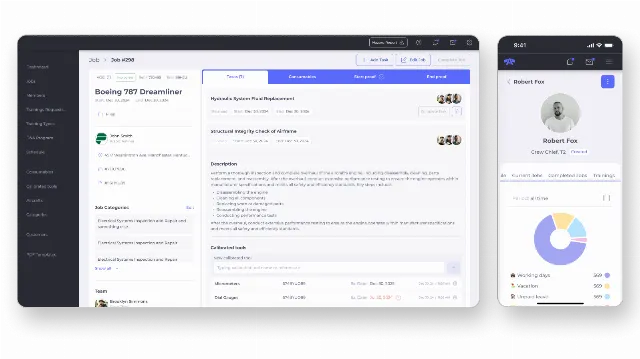
We have Kubernetes in production on a published project: the custom ERP for a US aircraft service company, built on Symfony and React with AWS, Kubernetes and CI/CD in the stack. One of our senior engineers has hands-on experience with GKE, Kubernetes, Prometheus, Grafana and Jenkins. When a product grows into Kubernetes, we move it there step by step: containers and CI/CD first, then the cluster, then traffic.
How do we handle monitoring, backups and incidents?
Monitoring is useful only if someone acts on it. We set up a small number of alerts that mean real trouble, such as errors rising, the site not answering, the queue growing or disks filling, and route them to the people responsible. Dashboards are there for investigation, not for decoration.
Backups get the same treatment. Databases are backed up automatically, files are copied to separate storage, and restores are tested on a schedule, because a backup nobody has restored is a hope rather than a plan. For each product we write down how long a restore takes and how much data could be lost, so you know the real numbers before an incident.
When something does break, the person on call follows a short written runbook, fixes or rolls back first and investigates second, and a short note afterwards records what happened and what changes to prevent it.
Can you take over the infrastructure of an existing product?
Yes, with or without the code. Products often arrive with infrastructure that grew by hand: a server nobody wants to restart, deploys over FTP or SSH, a single shared admin password, backups that were set up once and never checked. We start with a review and a written list of risks, then fix the most dangerous ones first, usually backups, access and deployments, before moving on to containers and CI/CD.
If you are evaluating a company, the same review fits into technical due diligence. If you need a team to keep building after the takeover, we continue as a dedicated development team.
Where do your products run?
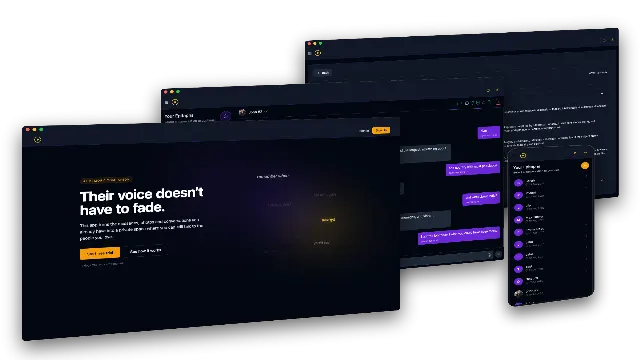
Wherever fits the product. We run products on a single VPS when that is enough, and on AWS when managed databases, storage and security features pay off; our AWS development page covers that side in detail. For AI products, GPU work often runs on dedicated servers or serverless GPU providers next to the main hosting, as in the AI Grief Companion, where Celery workers split ETL on CPU and training on GPU, and RunPod serverless images take over when the team's own GPU server runs out of capacity.
The application side is our usual stack: PHP and Symfony for business-heavy products, Node.js for JavaScript-only products, Python for AI and data services, and React, Next.js and React Native on the front end. For a complete SaaS product, DevOps is built in from the first milestone rather than added before launch.
How much does DevOps work cost?
DevOps work is part of a product engagement with us, so it is priced together with the build or takeover. Minimum project size is $10,000. Hosting and cloud costs are billed to your accounts by the providers. We give a fixed quote for the first milestone after a short scoping call.
How we work on DevOps
We start with a short call about the product, how it is deployed today and what keeps you up at night. For existing products, the first milestone is a review with a written report and a plan; for new products, the delivery setup is part of the first milestone. Everything lives in your repositories and your accounts: Dockerfiles, pipelines and infrastructure code are reviewed like any other code, and you keep full access. Senior engineers review every change, and AI coding agents handle routine work such as pipeline updates and tests.
Tell us about your product on our contact page, or describe the scope in our project estimate form.