 En
En
 Fr
Fr
 De
De
 It
It
 Es
Es
 Uk
Uk
n8n vs Zapier vs custom code: which should you use?
Use Zapier for low-volume workflows between popular SaaS apps that a non-technical person should own. Use n8n when workflows need branching, code steps, self-hosting or high volume, because n8n bills per workflow run rather than per action step. Move a workflow to custom code when it is core to how you make money: it writes to your own database or legacy systems, needs approvals, audit logs and tests, or its per-task fees grow faster than its value.
Most companies of 10 to 60 people end up with all three. The useful question is where each workflow belongs. This guide is written for the person who owns the automation bill and gets the call when an order goes missing: a CTO, an operations lead or a founder.
How do Zapier, n8n and custom code differ?
The three options differ mostly in how they bill, where they run and who can safely change them.
| Zapier | n8n | Custom code | |
|---|---|---|---|
| Billing unit | Per task: each successful action step | Per execution: one full workflow run (cloud); server cost when self-hosted | Hosting and maintenance, no per-run fee |
| Where it runs | Zapier's cloud | n8n Cloud or your own server | Your cloud account or servers |
| Who builds it | Anyone comfortable with web apps | Technical staff or a developer | Developers |
| Ready-made connectors | Thousands of apps | Hundreds, plus HTTP and code nodes | Any API, written as needed |
| Branching, loops, code | Possible but limited | Strong | Unlimited |
| Error handling and retries | Basic, per step | Configurable, error workflows | Designed per step: retries, dead-letter queue, alerts |
| Version control and tests | Minimal | Workflows exportable as JSON | Git, code review, automated tests, CI |
| Roles, approvals, audit trail | Workspace-level | Enterprise features | Built into the workflow |
| Best for | Notifications, simple syncs, marketing tools | Internal workflows with logic, higher volumes, data residency | Core operations, high volume, compliance |
Make sits between Zapier and n8n: visual like Zapier, cheaper per operation for many workflows, with stronger branching. Everything said about Zapier's per-step billing applies to Make's per-operation credits in a similar way.
How does pricing scale with volume?
Pricing is where the difference between tasks and executions shows up. Take one workflow: a new order arrives, gets enriched from your CRM, checked against stock, written to the ERP, confirmed to the customer and posted to a Slack channel. That is about six action steps.
| Monthly volume | Zapier tasks consumed | n8n executions consumed | Custom code |
|---|---|---|---|
| 500 orders | about 3,000 | 500 | Not worth building for this alone |
| 5,000 orders | about 30,000 | 5,000 | Hosting, often under $100 a month for this load |
| 50,000 orders | about 300,000 | 50,000 | Same service, larger server or more workers |
Check the current plan pages before deciding, because both vendors change tiers often. The pattern holds regardless: a Zapier bill grows with steps times runs, an n8n Cloud bill grows with runs, and a self-hosted n8n or custom service grows with server size. At a few hundred runs a month none of this matters. At tens of thousands, a multi-step Zapier workflow lands in the higher plan tiers, while the same work in n8n or code costs a server.
Two costs do not show up on any pricing page. The first is the time someone spends investigating failed runs, re-running them by hand and explaining to customers what happened. The second is the risk that the only person who understands 60 interlinked zaps leaves.
What is n8n's license, and why does it matter?
n8n is distributed under a fair-code license, not a classic open-source license. Self-hosting the community edition to automate your own company carries no license fee. Embedding n8n in a product you sell to your customers, or offering it as a hosted service, generally needs a commercial agreement with n8n. If you are a SaaS company planning to let customers build workflows inside your product on top of n8n, read the license with your lawyer before you write a line of code.
Self-hosting also means you own updates, backups, monitoring and security patches. For a team without anyone on call, n8n Cloud is usually the more honest choice.
What are the signs your automation has outgrown no-code?
A workflow has outgrown no-code when the cost of it failing, or the cost of running it, is larger than the convenience of building it visually. These are the nine signs we see most often:
- Customers notice failures before you do. A run fails silently, and you learn about it from a complaint.
- It writes to your own database or a legacy system. No-code tools are at their best between SaaS apps with clean APIs, and at their worst when they reach into a database without validation.
- Nobody can test a change. Edits go straight to production because there is no staging copy of the workflow.
- Sprawl without an owner. There are dozens of zaps or workflows, several calling each other, and nobody has the full map.
- The bill grows faster than the business. Volume doubled and the automation bill tripled because more steps were added along the way.
- You need approvals, roles or an audit trail. Someone must confirm a refund over a threshold, or an auditor wants to see who changed what.
- Credentials live in personal accounts. The workflow runs on a former employee's login or a shared password.
- Latency matters. A customer is waiting on a screen while the workflow polls every few minutes.
- AI steps without control. Prompts are edited in a text box with no version history, no test set and no cost limit.
One or two signs on a low-stakes workflow are fine. Three or more on a workflow that touches orders, money or customer data mean it should become code.
What does a custom-code version of a workflow look like?
A custom-code workflow is a small service that does the same job with the safety features no-code tools make hard. For a typical order or document workflow it contains:
- An entry point: a webhook or an API endpoint that receives the event and stores it before doing anything else.
- A queue and workers: each step runs as a job that can be retried with backoff, so a slow supplier API does not lose the order.
- Idempotency: the same event processed twice does not create two invoices.
- A dead-letter queue and alerts: items that keep failing go to a list a person reviews, and someone gets notified.
- A review screen: staff see pending items, the decision and the reason, and approve the risky ones.
- Logs and metrics: items processed, failures, time per item and cost per item for any AI step.
- Tests and version control: every change goes through code review and runs against a set of real examples before release.
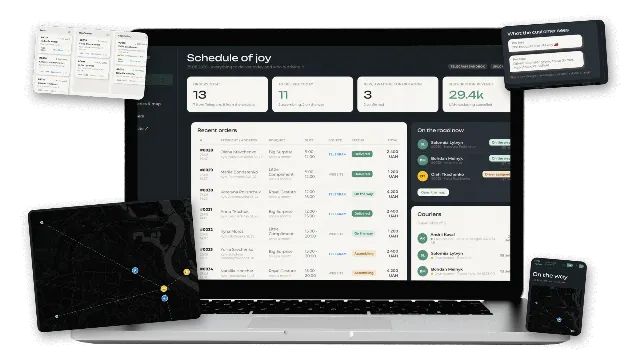
We built this kind of flow into an order and courier dispatch CRM for a subscription retail business: orders arrive from the website and a Telegram bot, couriers are requested through a delivery API that returns driver, ETA and price, and status callbacks move the order forward. Every integration has a sandbox implementation behind the same interface, which is what makes the whole flow testable before production credentials exist.
What does it cost to move a workflow to code?
With Lytvynov Production moving a first core workflow to code starts from $10,000 and usually takes 4 to 8 weeks, including a shadow run next to the old workflow. The table shows what typically sits inside different scopes.
| Scope | What is inside | Timeline | With Lytvynov Production |
|---|---|---|---|
| One core workflow | Entry point, queue, 2 to 4 integrations, retries, alerts, review screen, tests | 4 to 8 weeks | from $10,000 |
| Workflow platform | Several workflows on one foundation, roles, audit log, dashboard | 2 to 4 months | $10,000 to $40,000 |
| Part of a CRM or ERP | The workflow becomes a module of an internal system | 3 to 6 months | full CRM/ERP $40,000 to $90,000 |
A typical US or UK agency quotes roughly 2.5 to 4 times more for the same scope. Running costs after launch are hosting, commonly $50 to $300 a month, plus maintenance, which teams usually budget at 15 to 20 percent of the build cost per year. If the workflow is really the start of an internal system, our custom CRM development guide covers that decision, and the custom software development cost guide has ranges for larger builds.
Should you keep some workflows on no-code?
Yes. Rewriting every zap in code is a waste of money. A healthy split for a company of 10 to 60 people looks like this:
| Keep on Zapier, Make or n8n | Move to custom code |
|---|---|
| Slack and email notifications | Order intake, fulfilment and dispatch |
| Exports to spreadsheets and reporting tools | Anything that creates invoices, refunds or payments |
| Marketing tool syncs and form routing | Writes to your own database or ERP |
| Internal one-off helpers | Workflows with approvals or audit requirements |
| Experiments and prototypes | High-volume flows where per-step fees add up |
The cleanest hybrid setup gives your core service a small API. The no-code tool then calls that API instead of touching the database, so business rules live in one tested place and the visual tools stay useful for the edges.
How do you migrate from Zapier or n8n without breaking operations?
Migrate one workflow at a time, and never switch off the old one before the new one has proved itself on real traffic.
- Inventory (2 to 3 days): list every workflow with its trigger, steps, monthly runs, failure count and owner. Export n8n workflows as JSON and screenshot zaps.
- Rank: score each workflow by volume, business risk and monthly cost, and pick the top one.
- Specify: write down the inputs, outputs, rules and edge cases, including the ones the current workflow handles badly.
- Build with a test set: collect 30 to 100 real past events and their expected results, and make the new service pass them.
- Shadow run (1 to 2 weeks): the new service processes live events without acting, and you compare its output with the old workflow.
- Cut over: switch the trigger, keep the old workflow paused but available for a week, then remove it.
- Repeat: the second workflow reuses the queue, logging and review screen, so it is faster.
What about AI steps in automations?
All three options can call a language model: Zapier and n8n have AI nodes, and custom code calls the OpenAI or Anthropic APIs directly. The difference is control. In code, prompts sit in version control, every change is scored against a test set, there is a monthly cost limit per workflow, and a person reviews outputs below a confidence threshold. In a visual tool a prompt is a text field anyone can edit.
If a workflow needs several judgment calls in a row, it is becoming an AI agent rather than an automation. Our guide to what an AI automation agency does explains how to scope and vet that work, and our AI automation services page shows how we build it.
How we approach automation projects
We are a software development company founded in 2020 that builds internal systems, SaaS products and AI features for companies in the US, UK and EU. We are biased toward code because that is what we write, so here is the honest version: if your workflows run a few hundred times a month between well-known SaaS apps, stay on no-code and spend the money elsewhere.
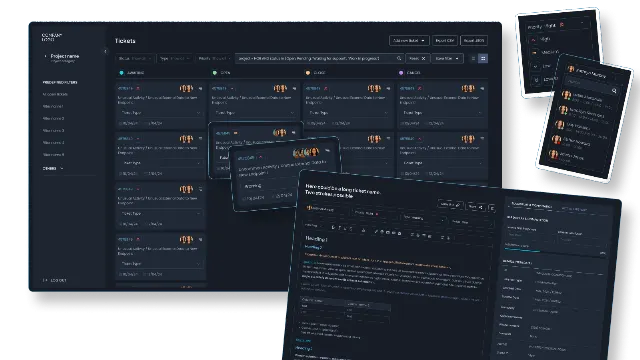
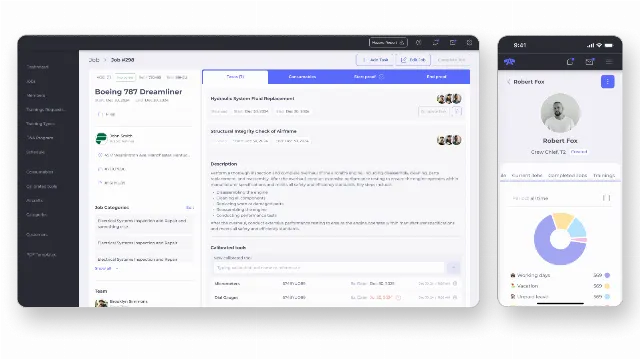
When a workflow runs your orders, tickets or money, we start with an inventory and a written scope, give a fixed quote after a short scoping call, run the new service in shadow mode next to the old one, and hand over code that lives in your repositories. We have built this kind of plumbing into a ticket CRM for a telecom support company in France that takes alarms from third-party systems, and into an ERP for a US aircraft service company. Bring your workflow list to a call and we will tell you which two are worth moving first.