 En
En
 Fr
Fr
 De
De
 It
It
 Es
Es
 Uk
Uk
What AI automation services do for a company
AI automation services take work that people do by hand across several systems and turn it into a workflow that runs on its own, with people stepping in only where judgment is needed. The typical target is back-office work: reading incoming emails and documents, copying data between tools, routing requests to the right person, chasing status updates and assembling reports.
A note on the term: many people searching for an "AI automation agency" want to start one. This page is for the other side, companies that want their own processes automated by an engineering team. We are a software development company, so what you get is working code integrated with your systems, documented and owned by you, not a course, a template pack or a subscription to a no-code workspace you cannot maintain.
Rules first, AI where rules break down
Good business process automation uses AI only for the steps that need it. Everything that can be expressed as a clear rule stays a rule, because rules are cheaper, faster and fully predictable.
A language model earns its place when the input is unstructured or ambiguous: a free-text email, a scanned invoice in an unknown layout, a customer message that could mean three things. The model turns that mess into structured data or a decision, and from there ordinary code takes over. This split keeps the running cost low and makes the system easy to test, because most of it behaves exactly the same way every time.
| Step in a workflow | Best handled by | Why |
|---|---|---|
| Receive the email, form or file | Integration code | Deterministic, needs reliability not intelligence |
| Understand what the message or document says | Language model | Unstructured input, varied wording and layouts |
| Validate the extracted data | Rules and schema checks | Catches model errors cheaply |
| Decide the route or next action | Rules, model for ambiguous cases | Most cases follow policy, some need judgment |
| Update CRM, ERP, ticket or sheet | Integration code | Must be exact and auditable |
| Handle exceptions | A person, with a prepared summary | Keeps risk under control |
When a step needs several judgment calls in a row, such as looking things up, deciding and acting repeatedly, it becomes an agent rather than a workflow. We cover that on our AI agent development page.
Processes we typically automate
These are the AI workflow automation services we are asked for most, grouped by what the automation replaces.
Intake and triage. Incoming emails, web forms, chat messages and alarms get classified, enriched with data from your systems and routed to the right queue or person. Urgent items are flagged; duplicates are merged.
Document processing. Invoices, purchase orders, contracts, applications and CVs are read, the key fields extracted and checked against your records, and the result placed in your ERP or CRM for a quick human confirmation.
Order and dispatch flows. An order arrives, gets a status, a responsible person or courier, and notifications at every step without anyone making a phone call.
Data entry and sync. Records created in one system appear correctly in the others, with AI filling gaps from free-text notes.
Reporting. Weekly summaries of pipeline, support or operations are assembled from your data, with a short written commentary drafted by a model and checked by a person.
Our guide on which business processes to automate with AI first helps rank candidates by value and risk.
How we build: integrations, review screens and monitoring
The value of an automation depends on how well it plugs into the tools your team already uses. We build three layers.
- Integrations. Direct API connections to your CRM, ERP, help desk, email, calendars, messaging (including Telegram, Slack and WhatsApp business APIs) and payment or delivery providers. Every integration gets a sandbox implementation behind the same interface, so the full flow can be tested and demonstrated before production credentials are connected.
- Processing layer. A back-end service, typically PHP/Symfony in our stack, that runs the workflow: queues, retries, rules, calls to OpenAI or Claude for the steps that need language understanding, and schema validation of every model output.
- Review and control. A small admin screen where staff see items waiting for confirmation, what the automation decided and why, and can correct it. Corrections are stored and become test cases.
On top sits monitoring: volume processed, share handled without human touch, error rate, cost per item and alerts when a provider or integration fails.
Rollout: from one process to many
An AI automation project goes best when it starts with one process, proves value in numbers and expands from there.
- Process review (1 to 2 weeks). We map the current workflow, measure volume and time per item, collect real samples and decide what is rules, what is AI and what stays manual. You get a fixed quote and an expected savings estimate.
- Build the first workflow (3 to 5 weeks). Integrations, processing, review screen, monitoring.
- Shadow mode (1 to 2 weeks). The automation runs alongside your team without acting, so both outputs can be compared.
- Live with review (2 to 4 weeks). The automation acts, a person confirms. Confirmation is removed for categories where accuracy is proven.
- Next process. The integrations and review screen are reused, so each further workflow is cheaper and faster.
What affects the cost of AI automation
We give a fixed quote after a short scoping call and the process review. Effort grows with the number of systems to integrate, the quality of their APIs, the variety of input formats, compliance requirements and how much of the process must be fully automatic rather than reviewed. A single workflow with one or two integrations and a simple review screen is far smaller than several connected workflows with an operations dashboard, and each further workflow gets cheaper because integrations and the review screen are reused. Running costs (model usage, hosting) are usually small relative to the labor saved, but we estimate them per item before you commit.
An AI automation added to your existing systems starts from $10,000 with us, and our AI agent development cost guide breaks down larger scopes.
Why us for business process automation
We have built the systems that automation lives in, not only the automations.
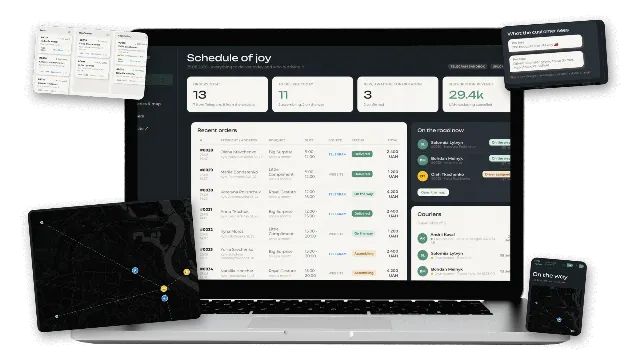
- Order-to-delivery automation. For a Kyiv flower subscription studio we built a Telegram ordering bot, CRM and courier dispatch. Orders get a status and courier automatically, Uklon Delivery drivers are requested through the API, Uklon's status callbacks move the order forward without staff input, and customers are notified in Telegram at every step.
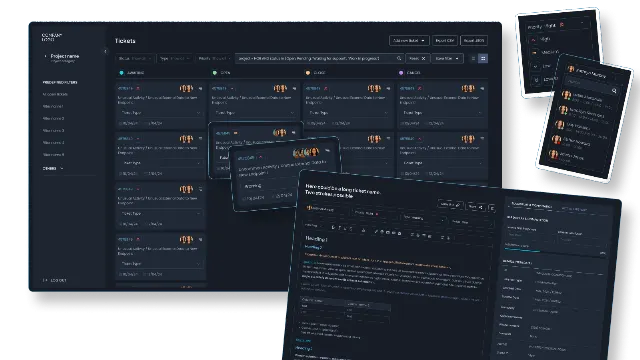
- Alarm and ticket processing. For a telecom support team in France we built a task management system that ingests third-party alarms alongside manual tasks, assigns them by role and sends automated notifications.
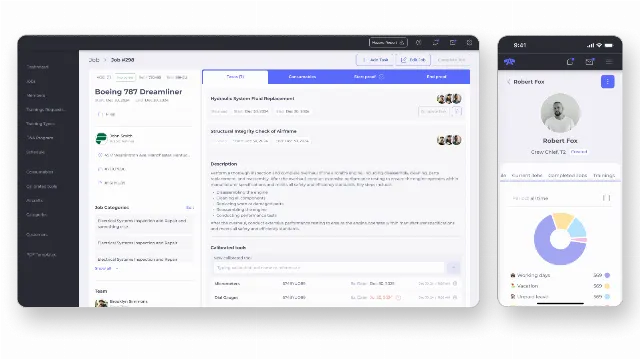
- ERP-scale operations. For a US aircraft service company we built a custom ERP in Symfony and React over six months, unifying orders, service scheduling, calendars, warehouse inventory and compliance monitoring in one platform.
- AI in production. We run large language model features in our own products and use AI agents in our own delivery.
We are based in Ukraine and work remotely with companies in the US and Europe. If that is new for you, our guide on outsourcing software development to Ukraine covers time zones, contracts and continuity.
Next step
Pick one process that costs your team the most hours each week and send us a short description or a few anonymized examples. We will tell you what can be automated, what should stay with people and how a fixed quote would look after a short scoping call. Contact us to book a call.