En
 Fr
 De
 It
 Es
 Uk
Custom CRM vs HubSpot: which should you choose?
Stay on HubSpot if a small team runs a standard sales pipeline and marketing automation is a big part of how you sell. Build a custom CRM when many people outside sales need to edit records, when your core objects are jobs, assets, contracts or shipments rather than deals, and when the next HubSpot upgrade is driven by one missing capability rather than by the whole tier. Many companies of 20 to 200 people end up with both: HubSpot for marketing and the first sales stages, and a custom system for operations.
This page is about that decision. If you have already decided to build and want price ranges, modules and tech stack, read our guide to custom CRM development cost and timeline.
All HubSpot prices and limits below are list prices in USD as of November 2026, taken from HubSpot's public pricing page and its Product and Services Catalog. HubSpot changes prices and packaging regularly and offers discounts to new customers, so check the current numbers and your own quote before deciding.
How does HubSpot pricing work for a growing team?
HubSpot charges per seat, and the seat type depends on what a person does. Everyone who needs to create or edit records needs at least a paid Core Seat. Sales reps on Sales Hub Professional or Enterprise need a Sales Seat. View-only seats are free and unlimited, but view-only users cannot edit records, log emails or save reports.
| HubSpot item (list price, November 2026) | Starter | Professional | Enterprise |
|---|---|---|---|
| Sales Seat, per month | not offered | $100 (catalog); $90 shown on the pricing page with annual payment | $150, billed annually |
| Core Seat, per month | $20 | $50 | $75 |
| Required one-time onboarding, Sales Hub | none | $1,500 | $3,500 |
| Sales automation workflows | 50, limited | 300 | 1,000 |
| Custom objects | not available | not available | 10 object definitions, 1 million records |
| Pipelines (total) | 15 | 100 | 350 |
| Calculated properties | not available | 40 | 200 |
| API calls per day (base) | 250,000 | 650,000 | 1,000,000 |
| Coded workflow actions (Data Hub add-on) | not available | Data Hub Professional, from $800 a month | Data Hub Enterprise, from $2,000 a month |
Two details matter most for operations-heavy companies. First, Core Seats are priced at the highest edition in your account, so moving sales to Enterprise also raises the price of every Core Seat used by operations staff. Second, custom objects, which are how you model jobs, assets or contracts as their own records, are available only on Enterprise. Many teams upgrade for that one feature and pay the Enterprise price for every seat.
Have you outgrown HubSpot? A decision checklist
Count how many statements in each column describe your company today. If most of your ticks are on the left, a custom CRM, or at least a custom operational core, is worth scoping. If most are on the right, stay on HubSpot and spend the money elsewhere.
| You have probably outgrown HubSpot | You should probably stay on HubSpot |
|---|---|
| More than half of the people who touch customer data are not salespeople | Most CRM users are sales and marketing staff |
| Operations staff keep spreadsheets because paid seats are too expensive to give them | Under 15 people need to edit records |
| Your main objects are jobs, assets, contracts, shipments or projects, forced into deals and tickets | Your process is lead, deal, close, with standard stages |
| You are considering Enterprise mainly for custom objects | Marketing automation, email and landing pages drive most of your revenue |
| Workflows need external scripts to read or write your own ops systems | Your integrations are standard apps from the HubSpot marketplace |
| Pricing, approvals or scheduling rules live in people's heads or side tools | Your rules fit HubSpot workflows within your edition's limits |
| You need data residency, a specific audit trail or field-level logic HubSpot does not offer | No regulator or client asks where your CRM data lives |
| Seat costs grow faster than revenue with each hire | Headcount is stable and the bill is predictable |
A test we use in scoping calls: write down the five things your team does every day that HubSpot cannot do without a spreadsheet, a chat message or a manual copy. If the list is long and specific to your business, building usually pays back. If it is short, configure HubSpot better.
What do HubSpot and a custom CRM cost over three years?
We compared two realistic company profiles. HubSpot figures use catalog list prices as of November 2026, held flat for three years, with no discounts. Custom CRM figures use our published ranges: a CRM for several departments from $10,000 to $40,000, a full CRM/ERP for a mid-size company from $40,000 to $90,000, hosting of $50 to $400 a month, and maintenance budgeted at 20 percent of the build cost per year, the top of the usual 15 to 20 percent range.
Company A, 25 users: 10 sales reps and 15 operations or service staff who edit records. Custom build assumed at $35,000, hosting at $150 a month.
Company B, 60 users: 20 sales reps and 40 operations, service or field staff who edit records. Custom build assumed at $60,000, hosting at $300 a month.
| 3-year cost (illustrative) | A: HubSpot Pro | A: HubSpot Enterprise | A: Custom CRM | B: HubSpot Pro | B: HubSpot Enterprise | B: Custom CRM |
|---|---|---|---|---|---|---|
| Sales seats | $36,000 | $54,000 | $0 | $72,000 | $108,000 | $0 |
| Core seats for other staff | $27,000 | $40,500 | $0 | $72,000 | $108,000 | $0 |
| Onboarding or build | $1,500 | $3,500 | $35,000 | $1,500 | $3,500 | $60,000 |
| Hosting | included | included | $5,400 | included | included | $10,800 |
| Maintenance | admin time | admin time | $21,000 | admin time | admin time | $36,000 |
| Total over 3 years | $64,500 | $98,000 | $61,400 | $145,500 | $219,500 | $106,800 |
How to read it:
- At 25 users on Professional, the two sides are roughly even. If HubSpot Professional covers your process, the build does not pay for itself on cost alone. It pays off only if you would otherwise need Enterprise, or if the operational fit saves real hours every week.
- At 60 users, the gap is large. On Enterprise the custom CRM costs about half over three years, and the difference grows with every hire because the custom side has no seat fees.
- View-only seats change the math. If 40 of the 60 people in Company B only need to look at records, HubSpot Enterprise drops to about $111,500, which is close to the custom option. Be honest about how many people really need to edit.
- Not included on either side: integration work with your own systems, which you pay for in both cases, Data Hub Professional if you need coded workflow actions (from $800 a month, about $28,800 over three years), HubSpot price changes, and negotiated discounts.
What does a hybrid HubSpot plus custom CRM setup look like?
The hybrid setup keeps HubSpot where it is strongest and moves operations into a system you own. For many companies of 20 to 200 people this costs less than either extreme and causes less disruption.
| Keep in HubSpot | Move to the custom system |
|---|---|
| Website forms, landing pages, email campaigns | Orders, jobs, projects or service tickets after the sale |
| Lead scoring and the early sales stages | Scheduling, crews, equipment and stock |
| Marketing attribution and campaign reports | Pricing rules, approvals and documents |
| A few marketing and sales seats | Every operations, warehouse and field user, with no seat fees |
A small sync service connects the two. When a deal is won in HubSpot, the service creates the customer and the order in the custom system. When the order changes status or is invoiced, the service writes the status and revenue back to HubSpot, so marketing still sees which campaigns produced real money. HubSpot's API allows 650,000 calls a day on Professional and 1,000,000 on Enterprise, which is enough for this pattern when the sync uses webhooks and batches instead of polling every record.
In cost terms, Marketing Hub Professional lists at $890 a month with 3 Core Seats and 2,000 marketing contacts included, plus a one-time $3,000 onboarding. Keeping that plus a few sales seats, and moving 40 operations users to a custom system, removes most of the Core Seat line from the table above.
The same principle applies to automations. Our comparison of n8n, Zapier and custom code explains how to decide which workflows stay in visual tools and which move into code.
How do you migrate from HubSpot to a custom CRM?
Migrate in stages and keep HubSpot running until the new system has proved itself with real users.
- Inventory (1 to 2 weeks, part of scoping): list every object, custom property, pipeline, workflow, integration and report in your HubSpot account, and mark which ones people actually use. Accounts that have grown for years often carry hundreds of unused properties.
- Design the data model: map HubSpot contacts, companies, deals, tickets and custom objects to the objects your business really has. This is where jobs, assets or contracts become first-class records.
- Repeatable import scripts: export records, associations and activity history through HubSpot's exports and API, store the original HubSpot record IDs, and import into the new model with scripts that can be run again. Run a test import and let your team check it.
- Rebuild logic on purpose: workflows, sequences and reports do not migrate as data. Each one is rebuilt as a rule, a notification or a report, or dropped.
- Pilot (1 to 2 weeks): one team works in the new system while HubSpot stays available. Fix what real use exposes.
- Cut over and reduce seats: move the remaining teams, then reduce paid HubSpot seats at your renewal date. If you keep HubSpot for marketing, the sync service goes live at this step.
The step that most often stretches the timeline is data quality: duplicate companies, free-text fields and properties that mean different things to different teams. Treat migration as its own milestone with its own acceptance check.
How long does it take to build a CRM that replaces HubSpot?
With Lytvynov Production a focused CRM for one team typically reaches its first production release in 8 to 12 weeks, a CRM for several departments in 3 to 5 months, and a full CRM/ERP for a mid-size company in 4 to 6 months, delivered in modules. A typical plan:
- Scoping (1 to 2 weeks): process map, HubSpot inventory, roles and integrations, and a fixed quote split into milestones.
- First module (6 to 10 weeks): usually the workflow that hurts most in HubSpot today, such as orders or jobs, with roles, notifications and imported data.
- Further modules (4 to 8 weeks each): scheduling, client portal, reporting or the HubSpot sync, each demoed and tested with staff.
- Support: monitoring, backups, updates and small changes on a monthly plan.
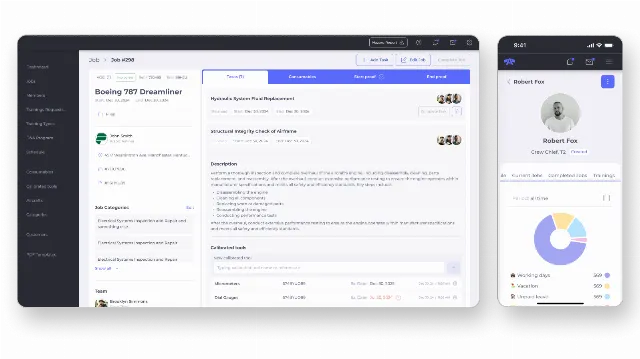
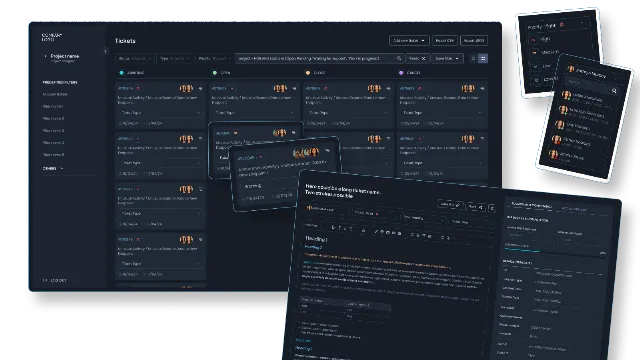
As a reference for scale, our custom ERP for a US aircraft service company was built over six months and covers client profiles, order processing, service scheduling, staff and shifts synced with Google Calendar and Apple Calendar, real-time warehouse inventory and compliance monitoring, used by everyone from technicians to the CEO. Our ticket CRM for a telecom support company in France took three months to build.
When is HubSpot clearly the better choice?
HubSpot is the better choice for most small teams. Pick it, or stay on it, when:
- Fewer than about 15 people need to edit customer records.
- Your process is a standard B2B or B2C sales funnel.
- Marketing email, landing pages, forms and attribution are central to how you grow.
- You need a working CRM this month, not in three months.
- Nobody on your side can own a software product: decide priorities, accept releases and keep requirements up to date.
A custom CRM also starts with fewer generic features than a mature product. The first release covers your core workflow well and leaves things like email sequencing or a large app marketplace to HubSpot or to later modules.
How we approach build vs buy decisions
We are a custom software company founded in 2019, and internal business systems are a core part of our work. We build CRMs on PHP/Symfony and React, the code lives in your repositories from the first week, the system runs in your cloud account, and there are no per-seat fees to us. Every project starts with a written scope and a fixed quote after a short scoping call.
We earn money when companies build, so we try to be explicit when they should not. If your scoping call shows that HubSpot Professional covers your process, we will say so. If the answer is a hybrid, we will scope only the operational core and the sync. To see how we build these systems, visit our custom CRM and ERP development page, read our guide to custom ERP cost for a 10 to 60 person company, or get a first range with our estimate form.