 Uk
Uk
 En
En
 Fr
Fr
 De
De
 It
It
 Es
Es
What can AI agents for customer service actually do in 2026?
AI agents for customer service can answer routine questions from your knowledge base, check order and account status, perform simple actions within policy, and hand everything else to a human with a summary. They are good at volume and consistency; they are still weak at judgment calls, emotional situations and problems nobody has documented.
The difference between an AI agent and an older chatbot is action. A scripted chatbot follows a decision tree. A large language model (LLM) agent understands free-form messages, finds the relevant help article, calls your order or billing API, and responds in natural language. That makes it useful for the long tail of phrasing customers actually use, but it also means the agent needs access to real systems, which is where most of the design work sits.
What should a customer service AI agent not do?
A customer service AI agent should not make promises outside written policy, handle legal or safety complaints alone, or take irreversible actions without limits. These are the areas where one wrong answer costs more than hundreds of right ones save.
| Task | Good fit for an AI agent | Keep with humans (or require approval) |
|---|---|---|
| "Where is my order?" | Yes, with order API access | Lost parcel claims above a set value |
| Password reset, account settings | Yes, through secure flows | Account ownership disputes |
| Product and policy questions | Yes, grounded in help articles | Questions not covered by any article |
| Refunds and credits | Within a fixed amount and eligibility rules | Exceptions, goodwill gestures, chargebacks |
| Complaints | Acknowledge and route with a summary | Resolution of angry or vulnerable customers |
| Legal, medical, safety issues | Detect and escalate immediately | Always |
Writing this table for your own business is the first useful step of any project. It turns "we want AI in support" into a scope that can be priced, tested and approved by the support lead.
Should you use Intercom Fin, Zendesk AI, Salesforce Agentforce or a custom agent?
Use an off-the-shelf agent when your support already runs on that vendor's platform and most tickets are answered from help articles. Choose a custom agent when resolving tickets depends on your own back-end systems, unusual workflows or channels the vendor does not cover well.
The main vendor tools differ mostly in where they live. Intercom Fin is built into Intercom's messenger and helpdesk. Zendesk offers AI agents inside the Zendesk suite. Salesforce Agentforce is part of the Salesforce platform and suits companies whose customer data already lives in Salesforce. All three can answer from a knowledge base and connect to some external data; the depth of those connections and the pricing models (per seat, per conversation or per resolution) change often, so check current terms directly with each vendor.
| Factor | Off-the-shelf helpdesk AI | Custom AI support agent |
|---|---|---|
| Setup time | Days to weeks | 6 to 14 weeks (typical) |
| Best when | You already use that helpdesk, tickets are FAQ-heavy | Answers need your own systems, rules or channels |
| Actions in your systems | Through vendor connectors and configured actions | Any API you own, with your permission model |
| Channels | Vendor's widget, email and supported messengers | Any channel, for example Telegram, WhatsApp, in-app |
| Cost model | Recurring vendor fees that grow with usage | Build cost plus tokens, hosting and maintenance |
| Data and model choice | Vendor decides | You choose OpenAI, Claude or open models, and hosting |
| Switching later | Tied to the vendor platform | Portable if designed model-agnostic |
A hybrid is common: keep the vendor helpdesk for ticket management and human agents, and build a custom AI layer that connects to it through its API. Our AI agent development cost guide walks through the build versus buy math in more detail.
How does an AI support agent integrate with your helpdesk and CRM?
An AI support agent integrates through APIs: it reads customer and order data from your CRM or database, creates or updates tickets in the helpdesk, and writes a summary of every conversation back so humans see the full history. The integration layer, not the language model, decides how useful the agent is.
A typical integration includes:
- Identity: matching the person in the chat to a customer record, with verification before any account data is shared.
- Read tools: order status, subscription details, invoices, delivery tracking.
- Write tools: create ticket, add note, change delivery slot, issue refund within limits.
- Knowledge retrieval: search over help articles and policies, usually with retrieval-augmented generation (RAG). Our RAG implementation guide explains how to make that retrieval accurate.
- Handover: transfer to a human queue in the helpdesk with the conversation, the detected intent and the data the agent already fetched.
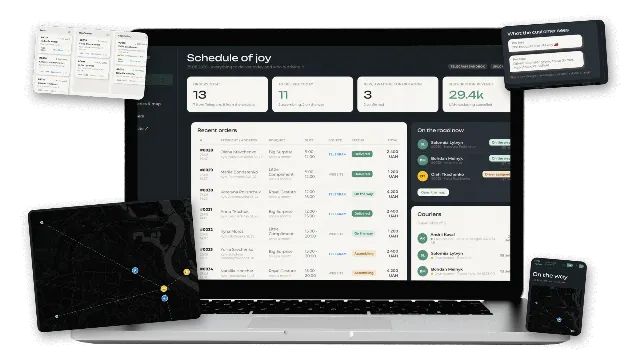
Status notifications are part of the same picture. In our flower subscription project, customers order through a Telegram bot and receive a message and a tracking link at every status change, from confirmed to delivered. Proactive updates like these remove a whole class of "where is my order" questions before any agent has to answer them.
How should handover from AI to a human agent work?
Handover should be fast, triggered by clear rules, and should carry context so the customer never repeats themselves. A bad handover, where the customer waits and then explains everything again, erases the benefit of the AI agent.
Good handover triggers include: the customer asks for a person, sentiment turns clearly negative, the same question is asked twice, retrieval finds no relevant article, the requested action is above the agent's limits, or the topic is on the always-escalate list. The agent should tell the customer what happens next and roughly how long it may take, especially outside business hours.
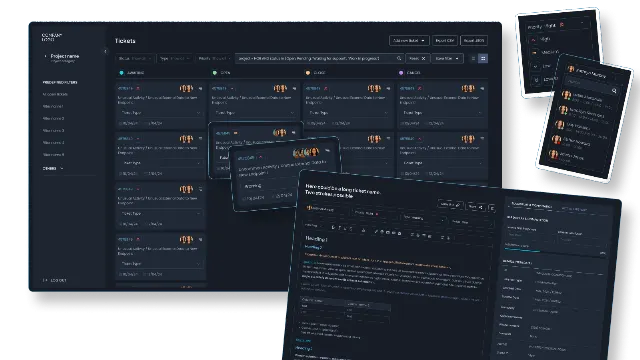
On the staff side, the ticket should arrive with a short summary, the customer's identity and verification status, the data the agent looked up and the action it proposed. Routing and assignment matter too. In the custom task management system we built for a telecom support team, tickets from third-party alarms and manual entries flow into one board with role-based assignment and automatic notifications. AI handover should land in the same kind of structured queue, not in a side inbox.
What is a realistic rollout plan for an AI customer service agent?
A realistic rollout goes from offline testing to a small share of live traffic, then expands topic by topic as the numbers hold. Launching to all customers on day one is the most common cause of public failures.
| Phase | Duration (typical) | What happens | Exit criteria |
|---|---|---|---|
| 1. Scoping | 1 to 2 weeks | Ticket analysis, top intents, fit table, data access | Agreed scope and risk list |
| 2. Knowledge cleanup | 1 to 3 weeks | Fix outdated or conflicting help articles | Articles cover the top intents |
| 3. Build and offline evaluation | 3 to 8 weeks | Integrations, prompts, test set from real past tickets | Target accuracy on the test set |
| 4. Shadow mode | 1 to 2 weeks | Agent drafts answers, humans send or edit them | Low edit rate on drafts |
| 5. Limited live pilot | 2 to 4 weeks | 5 to 20 percent of traffic, a few intents | Stable CSAT and resolution |
| 6. Expansion | Ongoing | More intents, more actions, more channels | Metrics hold per new intent |
Shadow mode is underrated. Letting the agent draft replies that staff approve gives you real accuracy data without customer risk, and it trains the support team to trust and correct the tool.
Which metrics show that an AI support agent works?
The core metrics are verified resolution rate, CSAT on AI-handled conversations, escalation rate and the quality of handovers. Deflection alone is misleading, because an agent can "deflect" customers simply by being hard to get past.
- Verified resolution rate: conversations closed by the agent with no reopen or repeat contact within a set window, such as 72 hours.
- Deflection or containment rate: share of conversations that never reached a human. Useful, but read it together with resolution and CSAT.
- CSAT for AI conversations: compare with CSAT for human-handled tickets on the same intents.
- Escalation rate by intent: shows which topics the agent is not ready for.
- Handover quality: how often human agents have to ask the customer for information the AI already had.
- Cost per resolved conversation: tokens plus platform fees, compared with the cost of a human-handled ticket.
- Wrong-answer rate: from weekly human review of a random sample.
Set target values per intent before the pilot, not after. Otherwise every result looks like success.
What are the main risks of AI in customer service?
The main risks are confident wrong answers, unauthorized actions, data exposure and customer frustration when a human is hard to reach. Each has a known mitigation, and a vendor or partner should be able to explain theirs in concrete terms.
- Hallucinated policies: ground answers in retrieved articles, require citations internally, and escalate when nothing relevant is found.
- Prompt injection: customers can try to talk the agent into ignoring its rules. Enforce limits in code (refund ceilings, permission checks), not only in the prompt.
- Data leaks: verify identity before sharing account data and never let the agent query records for anyone other than the verified customer.
- Compliance: check what customer data is sent to model providers, retention settings and regional rules such as GDPR for European customers.
- Brand damage: keep a clear route to a human, disclose that the customer is talking to an AI, and review conversations weekly.
- Silent drift: model updates and new products change behavior. Rerun the evaluation set on every change.
How we build AI customer service agents
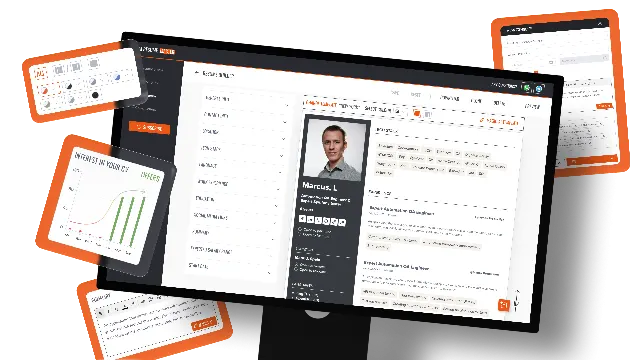
We start with your ticket history: which intents repeat, which need data from your systems, and which must stay human. From that we recommend a vendor tool, a custom agent or a hybrid, with typical market cost ranges and a fixed quote for the custom part after scoping. For custom builds we use OpenAI or Claude models, RAG over your knowledge base, and integrations with your helpdesk and CRM, with shadow mode and evaluation before any live traffic. We already ship LLM features in our own product, AI Resume Master, so we know how these systems behave with real users.
See our AI chatbot development and AI agent development services, or contact us with a sample of anonymized tickets and we will tell you what share an AI agent could realistically handle.