 Es
Es
 En
En
 Fr
Fr
 De
De
 It
It
 Uk
Uk
What is an MCP server?
An MCP server is a program that lets AI assistants use a product: it exposes the product's actions and data through the Model Context Protocol (MCP), so a model like Claude or ChatGPT can look things up and take actions on the user's behalf. Think of it as an API designed for AI clients rather than for human developers.
The Model Context Protocol is an open standard that Anthropic introduced in November 2024 to solve a repetitive problem: every AI application needed custom code to connect to every tool. MCP defines one common way for an AI application (the client, also called the host) to discover what a server offers and call it. Messages use JSON-RPC 2.0. Once a product has an MCP server, any MCP-compatible assistant can connect to it without a custom integration, similar to how any browser can open any website that speaks HTTP.
What does an MCP server expose?
An MCP server exposes three kinds of capabilities: tools, resources and prompts. Tools are the most widely used; resources and prompts are useful additions depending on the product and on what the client supports.
| Capability | What it is | Who decides to use it | Example in a project management SaaS |
|---|---|---|---|
| Tools | Functions the model can call, with a name, a description and a JSON input schema | The model, usually with user approval | create_task, update_status, log_time, search_tasks |
| Resources | Readable data identified by a URI | The application or the user | A project's README, a sprint report, a document |
| Prompts | Reusable prompt templates with parameters | The user, often as a slash command | "Summarize this sprint", "Draft release notes" |
A good tool description matters as much as the code behind it. The model decides which tool to call based on its name, description and input schema, so vague descriptions lead to wrong calls. Tool results should be compact and readable: return the fields a model needs, not a full database row with fifty columns.
The protocol also defines features that flow the other way, from client to server, such as asking the user for missing input (elicitation) or requesting a model completion (sampling). Support for these varies by client, so most production servers rely on tools first.
How does an MCP server connect: stdio or HTTP?
MCP servers connect over one of two standard transports: stdio for local servers that run on the user's machine, and HTTP (the "Streamable HTTP" transport) for remote servers that run in the cloud. A SaaS product almost always wants a remote HTTP server.
| stdio (local) | Streamable HTTP (remote) | |
|---|---|---|
| Where it runs | As a process started by the AI client on the user's computer | On your servers, reachable by URL |
| Installation | User installs and configures it | User adds a URL and signs in |
| Typical use | Developer tools, file system, local databases, CLIs | SaaS products, shared company systems |
| Authentication | Usually a token or key in local config | OAuth-based authorization per user |
| Updates | Each user updates their copy | You deploy once for everyone |
| Logging and control | On the user's machine | Central, under your control |
Earlier versions of the specification used a separate HTTP plus Server-Sent Events transport for remote servers; the Streamable HTTP transport replaced it in 2025. If you evaluate an older server or SDK, check which transport it implements, because newer clients expect the current one.
How does authentication work for an MCP server?
Remote MCP servers authenticate users with OAuth: the assistant sends the user through your product's sign-in and consent screen, receives an access token, and presents that token on every request. The server then acts with exactly that user's permissions.
The MCP authorization specification builds on OAuth 2.1 and related standards, including metadata that tells clients where your authorization server is. In practice this means:
- The user adds your server's URL in their assistant.
- The assistant discovers your authorization server and starts an OAuth flow.
- The user signs in to your product and approves the requested access.
- Every tool call carries a token scoped to that user and those permissions.
Two rules prevent most security problems. First, the server must validate that tokens were issued for it, and must not pass a client's token through to other services. Second, permissions must be enforced on the server for every call, the same way your web app enforces them. For internal tools and early prototypes, an API key per user is a common shortcut, but customer-facing SaaS should use proper OAuth.
When should a SaaS product ship an MCP server?
A SaaS product should ship an MCP server when customers already use AI assistants at work and would benefit from asking those assistants to read or change data in the product. If users regularly copy data out of your app into ChatGPT or Claude, or ask for "an integration with AI", that is the signal.
Good reasons to build one:
- Your product holds work data that people want summarized, searched or updated: tasks, tickets, CRM records, documents, orders, analytics.
- Actions are repetitive: creating records, changing statuses, logging time, drafting replies.
- Customers ask for AI features and you want to meet them without building a full assistant inside your product.
- Distribution: AI assistants increasingly list and recommend connectors, so being available there puts your product where users already work.
Reasons to wait: the product has no stable API yet, the data is highly sensitive and your permission model is not fine-grained, or the core workflow is visual and does not translate into actions a model can take. In those cases, fix the API and permissions first, or start with read-only tools.
An MCP server does not replace in-product AI features. It complements them: in-product features serve users inside your interface, while MCP serves users who live in their assistant. If you are deciding between the two, our guide to integrating ChatGPT and Claude into your product covers the in-product side.
What are the security risks of MCP servers?
The main risks are prompt injection, over-broad permissions, destructive actions without confirmation and leaking data between users. An MCP server gives a model the ability to act, so the server, not the model, must be the place where limits are enforced.
- Prompt injection: text inside a document, email or web page can instruct the model to call tools the user never intended. Assume tool inputs may be manipulated and validate them like any untrusted input.
- Tool description poisoning: clients should only connect to servers they trust, because malicious descriptions can steer a model. As a vendor, keep descriptions factual and stable.
- Over-broad scopes: give tokens the minimum permissions needed. Offer read-only scopes for customers who only want search and summaries.
- Destructive actions: avoid or clearly mark delete and bulk operations; prefer soft deletes and drafts. Many clients ask the user to approve tool calls, but do not rely on that alone.
- Cross-tenant leaks: every query must be scoped to the authenticated user and organization, with tests that prove it.
- Rate limits and cost: a model in a loop can call a tool hundreds of times. Apply per-user rate limits.
- Audit logs: record which user, which client and which tool, with inputs and results, so customers can see what their assistant did.
How is an MCP server built?
An MCP server is usually built with one of the official SDKs (available for TypeScript, Python and several other languages) as a thin layer over an existing API or service layer. The work is less about the protocol and more about choosing the right tools and enforcing permissions.
A typical project runs in these steps:
- Pick the jobs: list the 5 to 20 tasks users would ask an assistant to do in your product. Fewer, well-described tools beat a tool for every endpoint.
- Design tools: clear names, descriptions written for a model, typed input schemas, compact outputs and helpful error messages the model can recover from.
- Authorization: OAuth for remote servers, user-level permissions on every call, read-only and write scopes.
- Safety defaults: drafts instead of immediate publishing, confirmations for irreversible actions, limits on bulk operations.
- Testing with real clients: connect Claude, ChatGPT and a developer tool, run realistic requests and check that the model picks the right tools with the right arguments.
- Observability: logging, metrics per tool and alerting on error spikes.
For a product with a clean API, a first remote server typically takes 2 to 6 weeks. If your product needs AI features beyond MCP, such as agents that run workflows on their own, see our AI agent development cost guide.
How do we build MCP servers at Lytvynov Production?
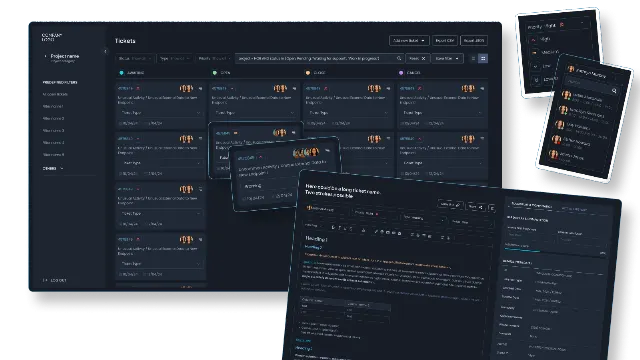
We build MCP servers for our own products first. Our internal project board and our website CMS both have MCP servers, so our team and our AI coding agents create and update tasks, log time and edit site content from Claude and other assistants every day. That daily use taught us where these servers break: vague tool descriptions, missing field validation, write tools that publish immediately when a draft would be safer, and gaps between the server code and what is actually deployed.
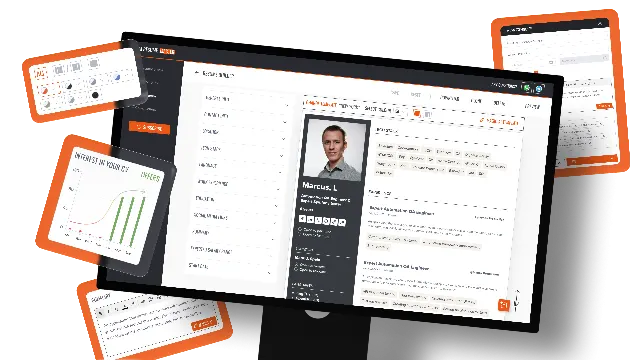
For clients, we apply the same approach to SaaS products and internal systems. We have built task and ticket systems such as a custom task management platform for a telecom support team, and LLM features in our own SaaS, AI Resume Master. Our back-end stack is PHP/Symfony with React front ends, and we build MCP servers in the language that fits your product, on top of your existing API and permission model.
Next step
If you are considering an MCP server for your product, we start with a short scoping call: we review your API and permissions, pick the first set of tools, and give you a fixed quote after it. See our AI integration service and AI agent development service, or contact us to discuss your product.