 Es
Es
 En
En
 Fr
Fr
 De
De
 It
It
 Uk
Uk
Next.js vs React: what are you actually choosing between?
Next.js vs React is not a choice between two competing libraries. Next.js is a framework built on React: every Next.js page is made of React components. The real decision is between a plain React single-page app, usually built with Vite, which renders everything in the browser, and Next.js, which can render pages on the server or at build time and adds routing, caching and a server runtime on top.
That difference decides three things for your product: whether search engines and AI assistants see your content, how fast the first visit feels on a mid-range phone, and how much infrastructure you run. We build both every week. Our Next.js development work covers public sites, marketplaces and catalogs; our React development work covers dashboards, SaaS workspaces and internal platforms. This guide explains how we decide between them, and when we use both in one product.
In short:
- Choose Next.js for anything that must be found and must feel instant on the first visit: marketing sites, listings, catalogs, public profiles, documentation.
- Choose a plain React app for anything behind a login: dashboards, CRMs, admin tools, SaaS workspaces.
- Use both when a product has a public side and a private side, which most marketplaces and many SaaS products do.
How do a React SPA and Next.js compare side by side?
The table summarizes the differences that matter for a product decision.
| Criterion | Plain React app (Vite) | Next.js |
|---|---|---|
| Where pages are rendered | In the browser | On the server, at build time, or in the browser, per page |
| What a crawler receives | A nearly empty HTML shell plus JavaScript | Full HTML with content and metadata |
| First visit speed | Slower on weak phones; waits for JavaScript | Faster; content arrives with the HTML |
| Navigation after load | Very fast, all in the browser | Very fast, client-side navigation after the first page |
| Hosting | Static files on any CDN or web server | Node.js runtime or a managed platform; static export possible |
| Infrastructure cost early on | Very low | Higher when server rendering is used |
| Conceptual complexity | Low: one runtime, the browser | Higher: server and client components, caching, revalidation |
| Routing | Library of your choice | Built in, file-based |
| Data fetching | From your API, in the browser | On the server or in the browser, with built-in caching |
| Best fit | Logged-in products, internal tools | Public, SEO-critical and content-heavy pages |
How does rendering differ, and why does it matter?
A plain React app sends the browser a small HTML file and a JavaScript bundle; the page appears only after the bundle downloads, runs and fetches data. Next.js can send finished HTML for each page, generated either ahead of time or on each request, and then hydrate it into an interactive React app.
Next.js gives you several rendering modes and lets you choose per page:
- Static generation at build time, for pages that change rarely: marketing pages, documentation, blog posts.
- Incremental regeneration, for pages that change sometimes: catalog items, listings, public profiles. Pages are rebuilt on a timer or when data changes.
- Server rendering per request, for pages that depend on the visitor or on fresh data.
- Client rendering, for highly interactive parts that need no SEO.
With React Server Components, Next.js can also keep parts of a page entirely on the server, so the browser downloads less JavaScript. That is a real gain for content pages, and a new mental model your team must learn: which code runs on the server, which in the browser, and what is cached where.
Which is better for SEO and AI search?
For pages that must rank, Next.js is the better choice. A crawler that requests a Next.js page receives full HTML with the title, description, structured data and content in the first response. A crawler that requests a single-page app receives an almost empty shell and must run JavaScript to see anything.
Google does render JavaScript, but it happens later and less reliably than reading HTML, and many AI crawlers that feed assistants read only the initial HTML. If customers find you through Google, ChatGPT or Perplexity, the pages they land on should not depend on client-side rendering.
Next.js does not make a site rank by itself. Unique metadata per page, canonical and hreflang tags, sitemaps from real routes, structured data, internal links and good Core Web Vitals still have to be built. We set these up as part of the build on every Next.js project. For pages behind a login none of this matters, which is why a plain React app is the right tool there.
Which costs more to build and run?
Next.js usually costs a little more to set up and run, and saves money only when search traffic or first-visit speed matters. The extra cost comes from server rendering setup, a caching strategy per page type, a Node.js runtime in production and more decisions about what runs where.
| Cost item | Plain React app | Next.js |
|---|---|---|
| Initial setup | Simple | More work: rendering modes, caching, server runtime |
| Hosting | Static files, often a few dollars a month | Node.js server or managed platform; grows with traffic |
| SEO setup | Not needed behind a login | Part of the build for public pages |
| Upgrades | React and library updates | Next.js releases often; staying current takes regular work |
| Team skills | Any React developer | React plus server components and caching knowledge |
With us, a web app or public site with a back end typically costs $10,000 to $15,000 in either option, and most MVPs land at $10,000 to $20,000. The difference between the two is usually a modest share of the budget, not a multiple. For ranges by project type and a comparison with US and UK agencies, see our guide to React development cost.
How complex is each for your team?
A plain React app has one runtime: the browser. Data comes from your API, state lives in the client, and any React developer can work on it from day one. That simplicity is a real advantage for dashboards and internal tools, where every screen is interactive and nothing needs to be indexed.
Next.js adds a server side to the front end. Your team has to understand server and client components, where data is fetched, how and when pages are cached and revalidated, and how sessions work across server and browser. None of this is hard for a senior team, but it is easy to get wrong: stale cached pages, secrets accidentally sent to the browser, or a server component that fetches the same data several times. We keep business logic in the back end, usually Symfony or Node.js, and let Next.js handle only what belongs to the web layer: rendering, page data and sessions.
Can one product use both?
Yes, and for marketplaces and many SaaS products that is the best setup. The public side, with listings, categories, profiles, pricing and content, is built in Next.js so it ranks and loads fast. The workspace where users manage their account, listings, bookings or data is built as a React app or in the same Next.js app, depending on size and team. Both share a design system and the same API.
Two published examples show each side:
- Freelance experts platform: we rebuilt the public web experience of a French IT consultant marketplace after a rebrand, including the design system, landing pages, freelancer search, public profiles and authentication flows, with desktop and mobile versions of every screen. Public pages that must be found are exactly where Next.js pays back.
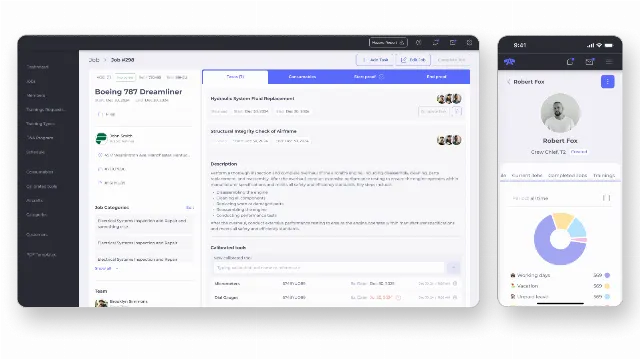
- Custom ERP for a US aircraft service company: a six-month build on Symfony/PHP and React with Mercure for real-time updates, covering orders, service scheduling, shifts, warehouse inventory and compliance. Everything sits behind a login and is used by staff all day, so a React app on a Symfony API was the right fit and server rendering would have added cost without benefit.
How do you migrate a React app to Next.js?
Migrate only the pages that need it. The usual trigger is a client-rendered React app whose public pages do not rank, or a slow CMS theme that is hard to change.
The process we follow: inventory every public URL and its traffic; decide the rendering mode per page type; rebuild those templates and shared components in Next.js; keep URLs stable or redirect them one to one; then switch traffic in stages while watching Search Console and Core Web Vitals. The logged-in React app can stay where it is on the same API. A full move of the workspace into Next.js is rarely worth it on its own.
When should you choose Next.js, and when plain React?
Choose by where the page lives and who needs to see it, not by trend.
| Your situation | Our recommendation |
|---|---|
| Marketing site, content hub, documentation | Next.js with static generation |
| Marketplace with public listings and a private workspace | Next.js for public pages; React app or Next.js for the workspace |
| SaaS where only sign-up and pricing are public | React app with Vite, plus a small Next.js or static marketing site |
| Catalog with frequent price or stock changes | Next.js with incremental regeneration |
| Internal dashboard, CRM or admin tool | React app with Vite |
| AI chat or assistant inside a product | React app; streaming comes from the back end |
| Existing React app with public pages that do not rank | Move public pages to Next.js, keep the app |
| Mobile apps are part of the product | Add React Native, sharing types and logic with the web |
Our verdict: default to a plain React app for anything behind a login, and to Next.js for anything that must be found. When a product has both, build both and share the design system and API. If mobile is also on the roadmap, read our comparison of React Native vs Flutter.
How we choose the front-end stack with clients
We start with a short scoping call about the product, the audience and how customers find you today. From that we agree which parts are public and which are private, the rendering model for each, the back end and the first milestone with a fixed quote. Delivery runs in milestones with weekly demos, in your repositories and hosting accounts, with SEO setup included for public pages. See our Next.js development and React development services, or our SaaS development service if you are building a subscription product. You can also contact us directly.